AI
AI plugins for Figma
Victoria Martinez
UI Designer
The integration of artificial intelligence into design workflows promises new avenues for creativity and efficiency. Figma, the popular design app, showcases this idea clearly: its marketplace is now crowded with a plethora of AI-powered plugins that its community believes will transform the way we work.
As we conducted our research, Figma released its own beta version of AI features (which we tested and reviewed too), suggesting that some of the plugins we tested may soon be replaced by Figma's native capabilities. Nonetheless, we present to you the list of AI plugins we tried, along with a brief analysis of each. Our goal is to identify which plugins genuinely enhance our processes, save time, and boost productivity, and which ones may fall short of their lofty promises. Join us as we navigate through this exciting landscape to find the tools that can truly make a difference in our design workflows.
UX Plugins
QoQo.ai
AI-generated UX personas, journey mapping, sitemap, and copywriting
⚖️ Our verdict: ✅USE IT!
✅ What I Liked:
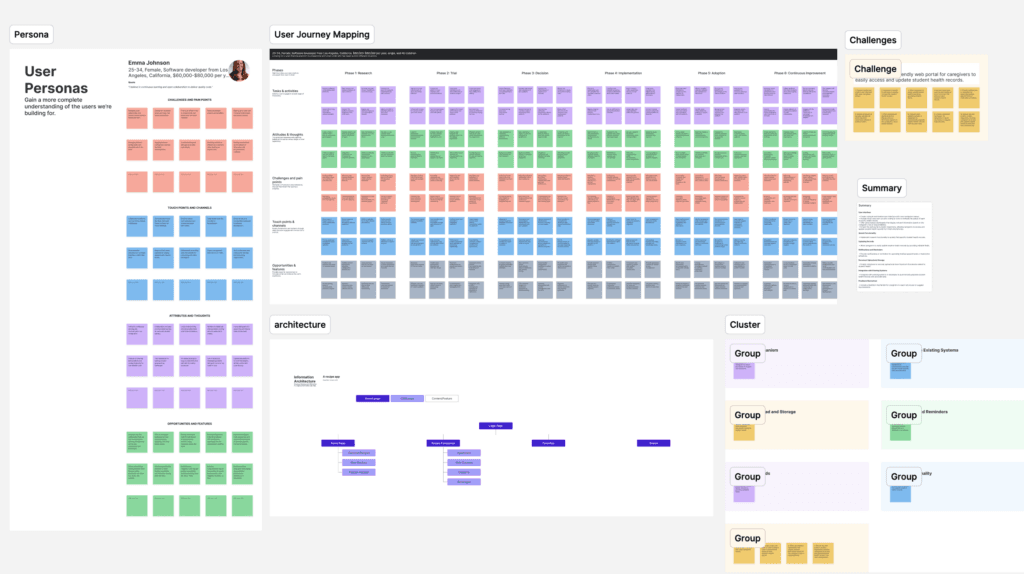
The plugin is incredibly comprehensive, offering many features such as generating user personas that can be used in other tools, creating summaries, design briefs, user journey maps, and more.
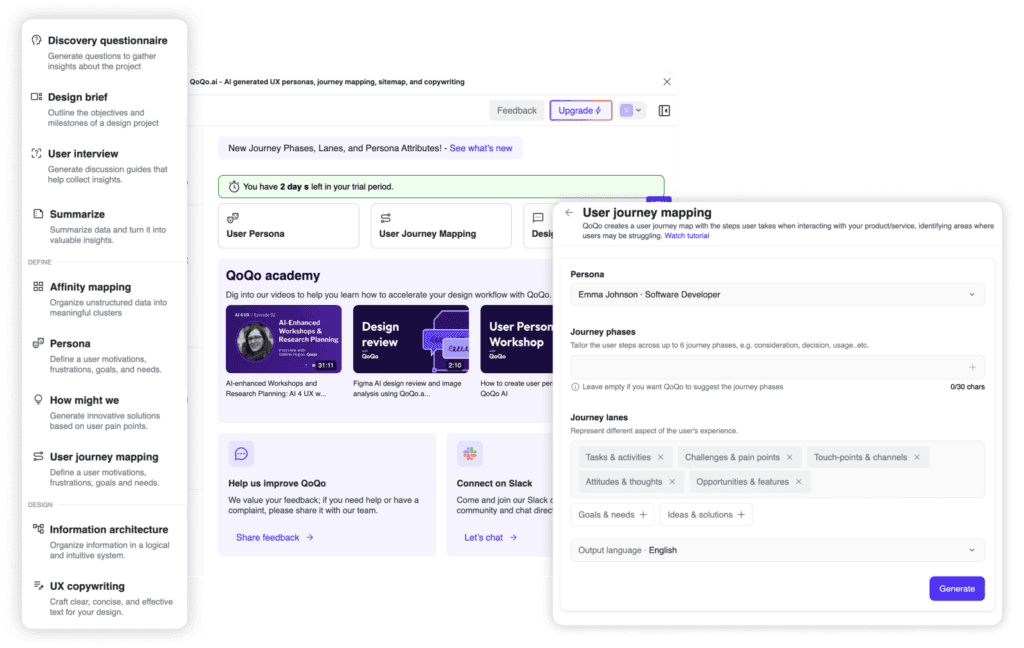
Very easy to use, with options to edit and iterate on the results.
Extra features like "chatting" with your user persona to add more details.

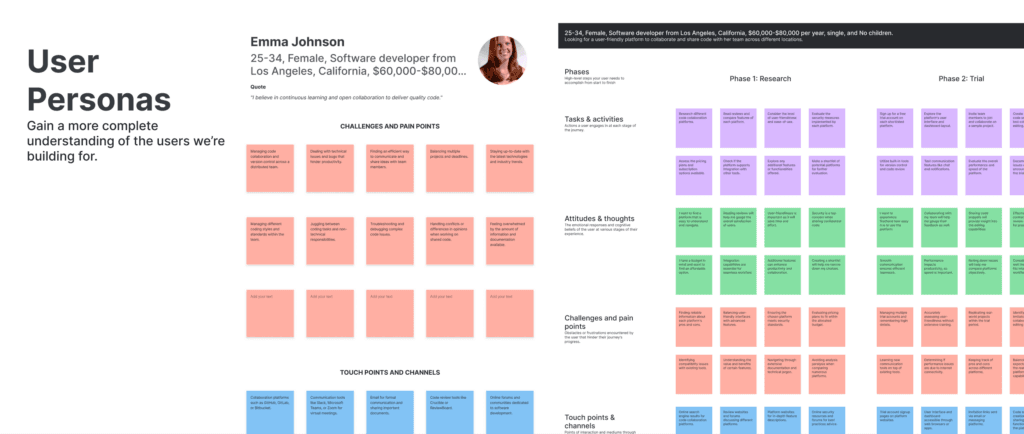
The results are visually polished and ready to be used directly in Figma:
🙅 What I Didn't Like:
Works within Figma, but for discovery processes, tools like Miro are often preferred since they are specifically designed for that purpose and have fewer limitations regarding the number of editors.
🔬Can I try it for free?:
Yes, it’s a paid plugin with 2 days of free trial.
💡In Summary:
This plugin offers a lot of options, works efficiently, and is worth considering if you regularly work on UX processes. It's fast, reliable, and could significantly enhance your workflow.
Clueify | Figma
Based on AI, generates Heat maps, Focus map and Gazeplot
⚖️ Our verdict: ✅ TRY IT
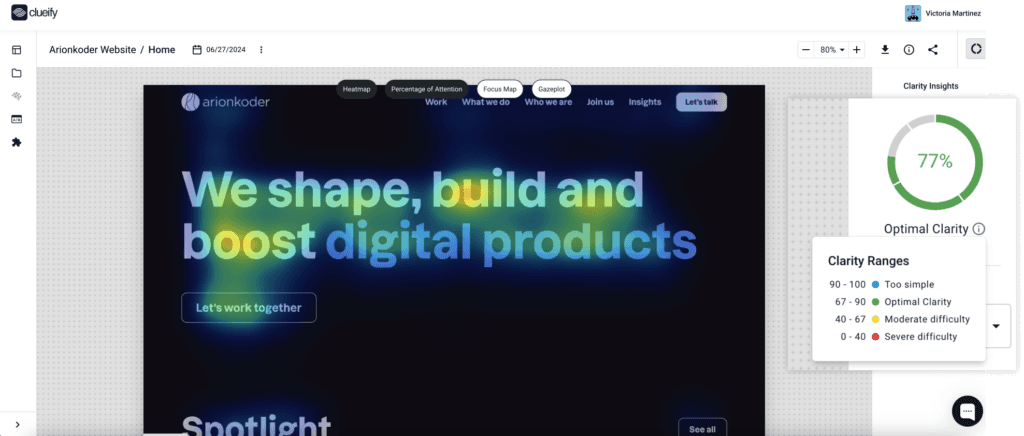
✅ What I Liked:
Easy to use.
Provides clarity insights, which is interesting data to have on hand.
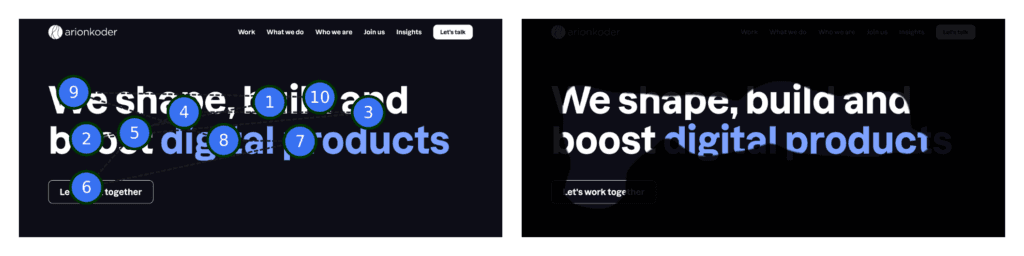
Works well and fast.
Allows for A/B testing (outside of Figma).
🙅 What I Didn't Like:
Everything operates outside of Figma. You can download an image with the results afterward.
🔬Can I try it for free?:
Yes, it’s a paid plugin with a free trial
💡 In Summary:
This plugin is a great option for a preliminary analysis of our designs since it doesn't require real users, avoiding the need for organization and logistics. However, this doesn't mean it can completely replace the presence of real users. In this case, we did not compare it with a heat map made by a real person, so we can't be 100% sure that the results are entirely reliable.
Wireframing
Banani Ai
Design copilot where you describe your idea for the app screen, and the AI converts it into a professional-looking wireframe.
⚖️ Our verdict: ✅ TRY IT
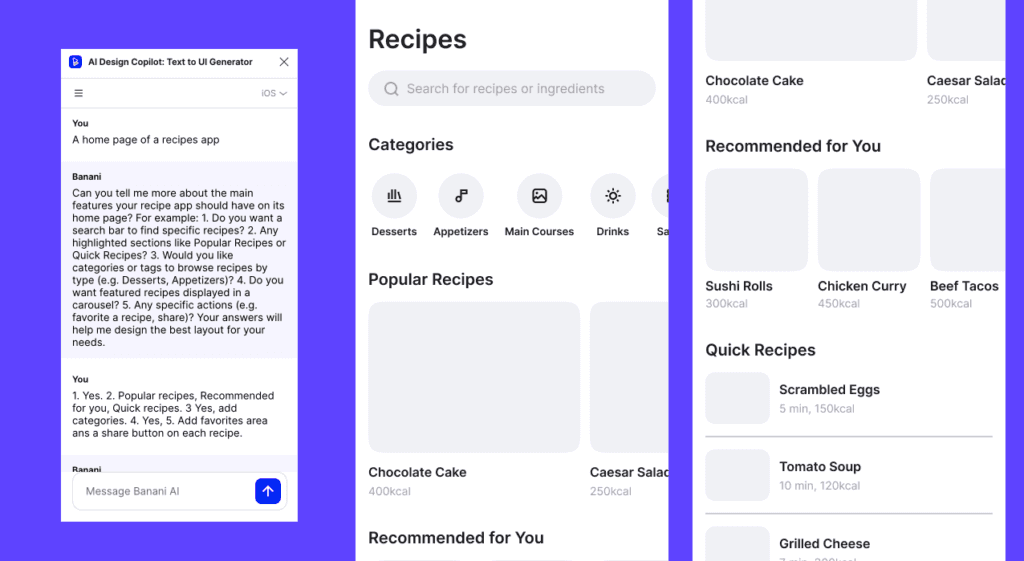
Free plugin
✅ What I Liked:
It’s free.
Produces good results at the wireframe level.
Acts as a copilot, allowing you to chat with AI and request adjustments and changes.
🙅 What I Didn't Like:
Didn't understand some of the changes I requested. For example, I asked to add a floating 'share' button on each recipe and it didn't understand, adding buttons instead. I tried again, but it still didn't comprehend.
When requesting a change, it creates a new frame instead of adjusting the selected frame
🔬Can I try it for free?:
Yes, it’s a free plugin
💡 In Summary:
It's a good FREE tool for getting started with wireframe creation, but it still needs improvement in understanding prompts for making adjustments.
WireGen
Uses Chat PT AI to generate a low-fi wireframe based on a prompt.
⚖️ Our verdict: ❌ DON’T EVEN TRY IT
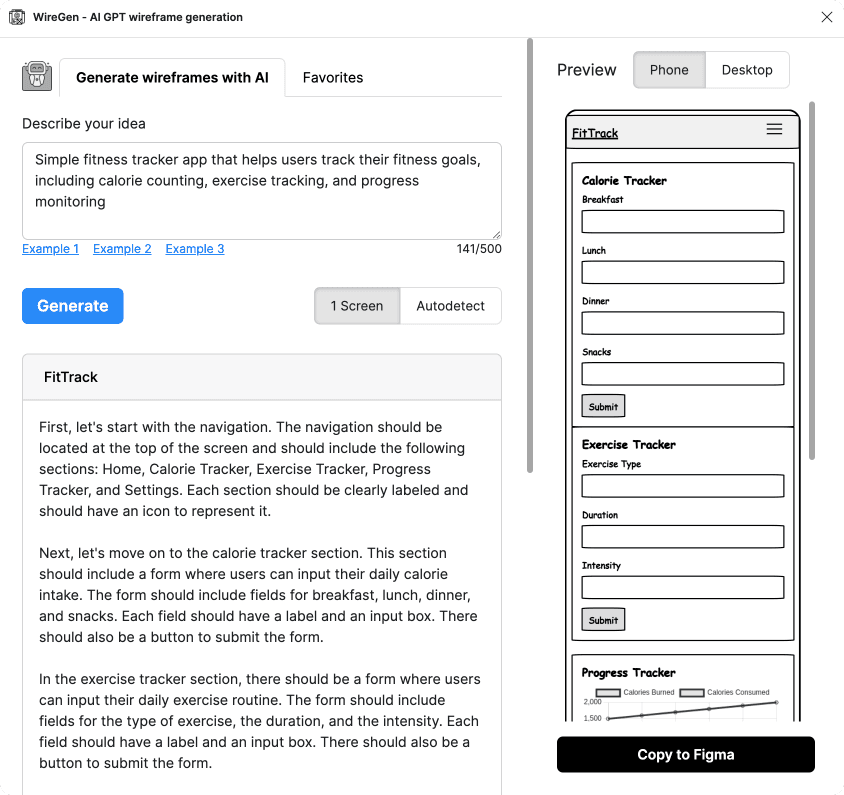
✅ What I Liked:
Provides a detailed description of the required sections.
🙅 What I Didn't Like:
The result is very low-fi.
Limited to 25 iterations per month.
🔬Can I try it for free?:
Yes, but you have a 25 iterations per month limit.
💡 In Summary: It's a plugin in its BETA version that still doesn't produce results that, in my opinion, are very useful. There are plugins that serve the same function and are more advanced.
Wireframe designer
Wireframe generator
⚖️ Our verdict: 😐 MEH
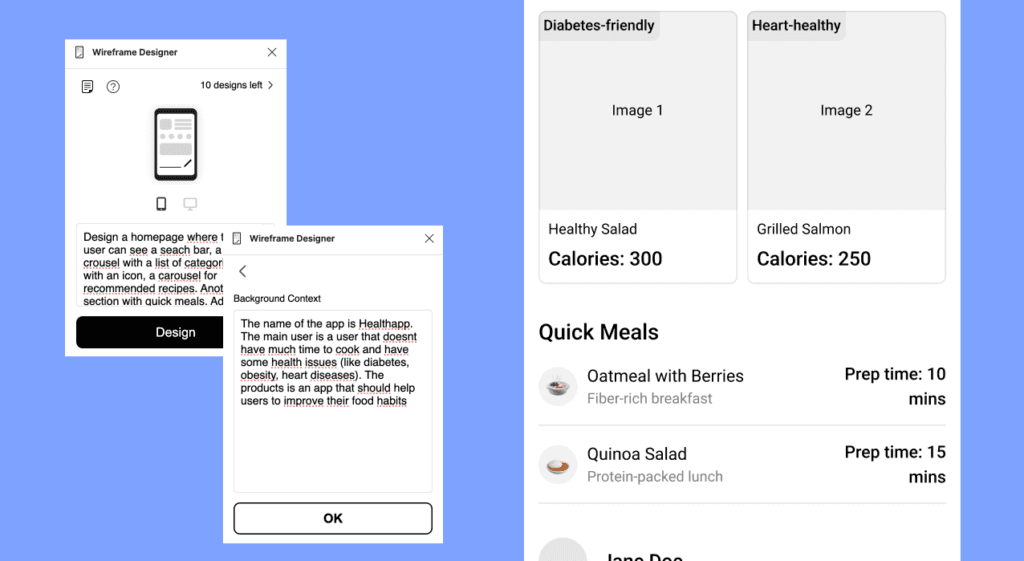
✅ What I Liked:
Produces good results at the wireframe level.
🙅 What I Didn't Like: The tool didn't understand some of the changes I requested. For example, I asked for the categories section to be a carousel, but it implemented it as a list and didn't understand the need for a 4-column format.
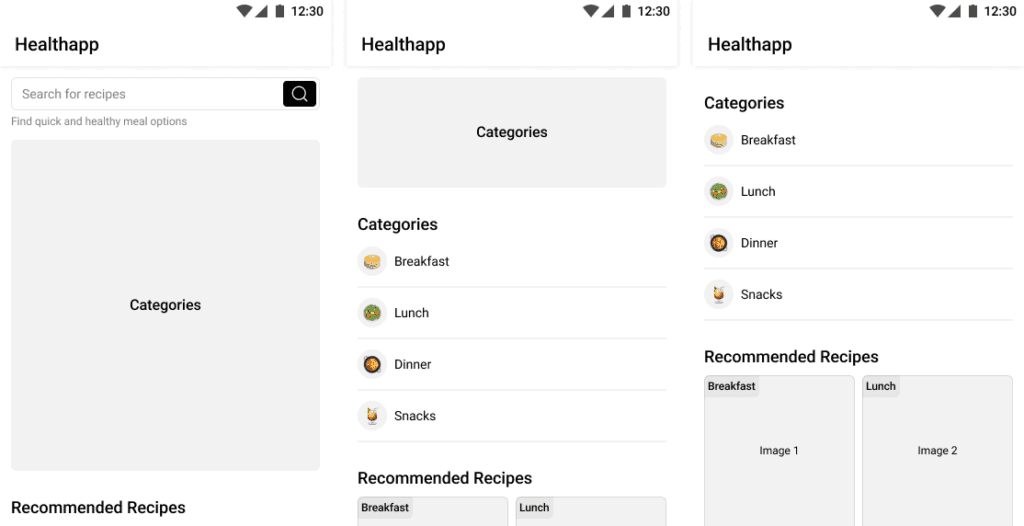
When requesting a change, it creates a new frame instead of adjusting the selected frame.
🔬Can I try it for free?:
Yes, they offer 10 iterations for free.
💡 In Summary
It's a decent tool for getting started, but I would lean towards Banani Ai since it provides similar results and is free.
UI/Design
Visily
It’s a wireframe software that enables teams of all sizes and skill levels to create wireframes and prototypes very quickly.
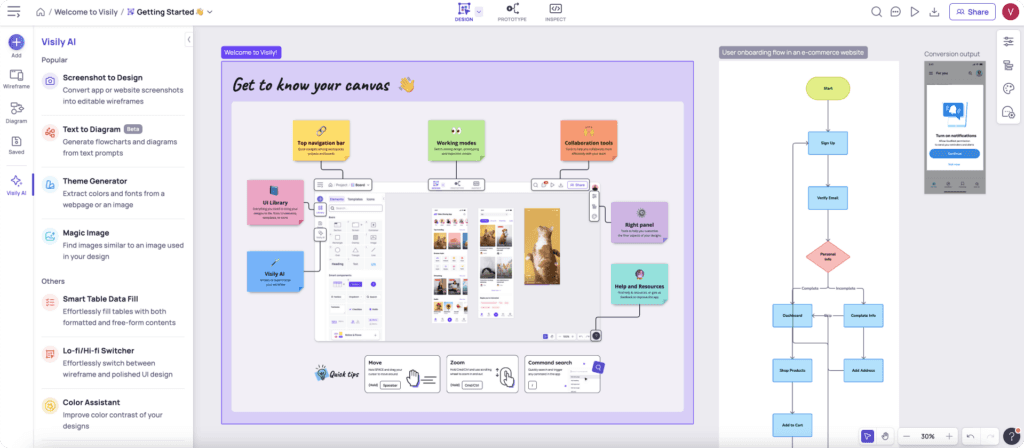
Although it is an external software to Figma, the results can be inserted into it. We found Visily to be an interesting tool to review, that’s why we included it in this article.
⚖️ Our verdict: ✅TRY IT!
Paid plugin with a free trial.
✅ What I Liked:
Intuitive and user-friendly interface.
Extensive library of pre-designed templates and components.
Real-time collaboration features allow seamless teamwork.
Integration with popular tools like Figma, Sketch, and Adobe XD.
Multiple AI-powered design options like:
Screenshot to Design (Convert app or website screenshots into editable wireframes): Works relatively well and quickly. It’s not perfect, but it can be helpful if you want to use a design that you don't have in an editable format. It offers the option to apply the current palette to the design, but in my case, it didn't work well.
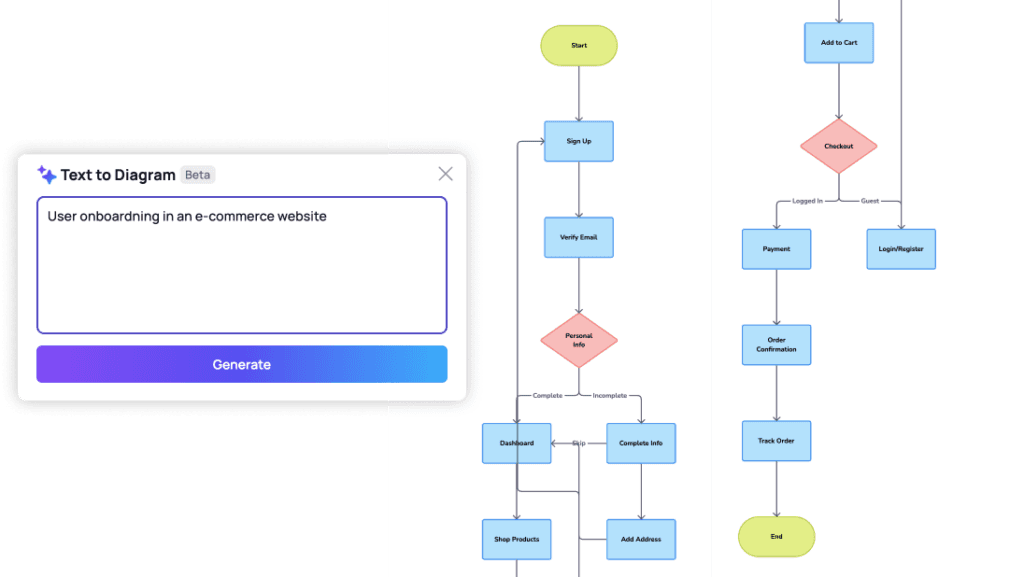
Text to Diagram (Generate flowcharts and diagrams from a prompt): An interesting option for generating flowcharts. It works quite well.
Theme Generator (Extract colors and fonts from a webpage or an image): Works correctly.
Color Assistant (Improve color contrast of your designs): I tested it quickly, and it didn't work.
Sketch to Design (Beta - Convert hand-drawn sketches into editable wireframes): The results were not good.
Ability to import JSON files for easy customization.
Robust automation options to streamline repetitive tasks.
🙅 What I Didn't Like:
Some options, like the sketch to design, doesn’t work very well. Sometimes it promises more than it delivers.
Requires a learning curve to fully understand all features.
I don’t like the idea of working outside Figma.
🔬Can I try it for free?:
Yes, they have a free version with some limitations
💡 In Summary:
It's a software with some interesting tools to try. I believe some of them still need significant improvement, while others live up to their promises. The fact that it operates outside of Figma means you have to learn another program and then transfer your work to Figma, which reduces the likelihood of me using it regularly.
It's worth trying and making your own conclusions.
Musho AI
AI-powered design assistant that transforms a prompt into nearly-complete websites.
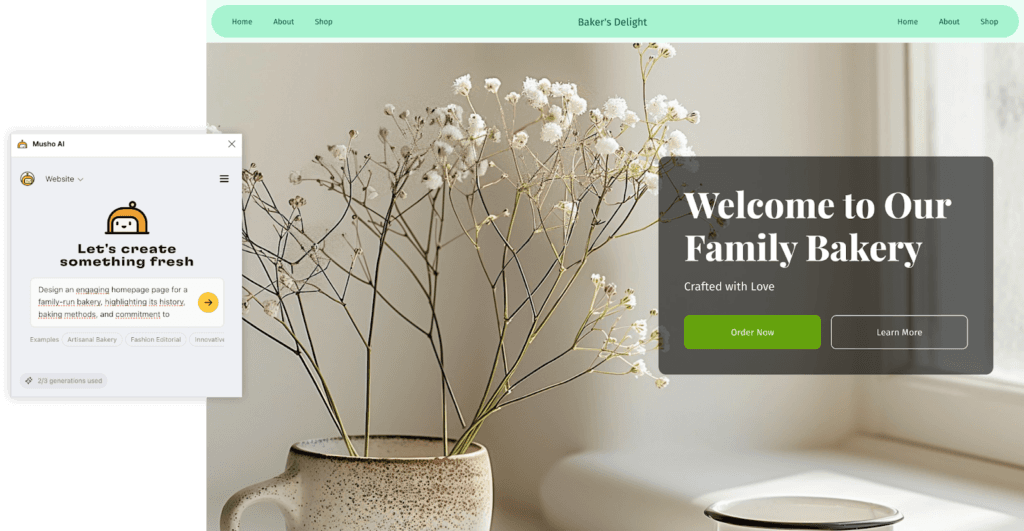
✅ What I Liked:
You can create a hi-fi design for a website page in seconds.
It generates images, icons, and color palettes.
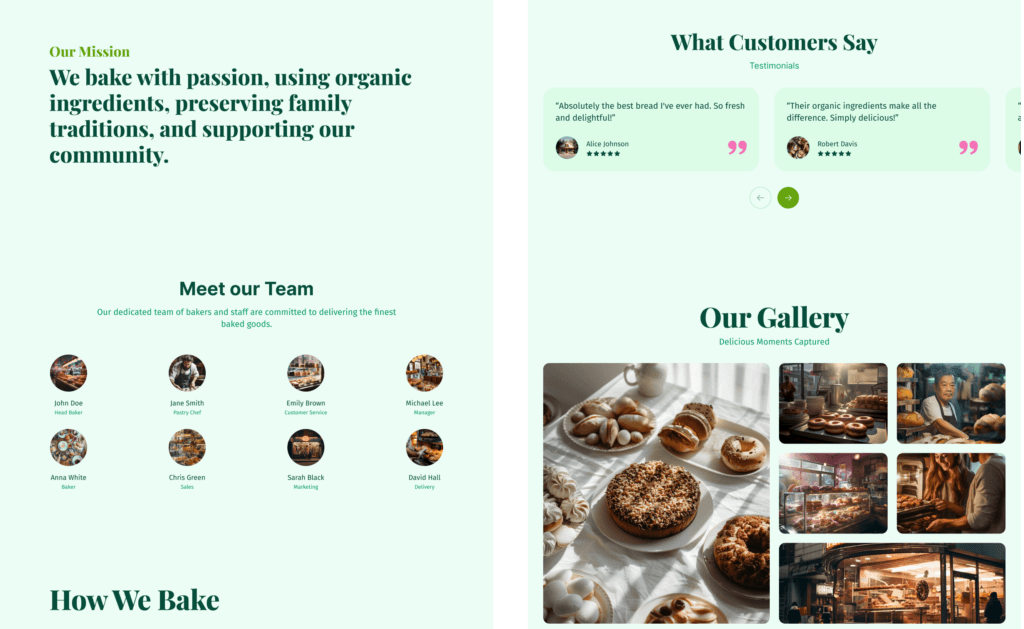
Designs in Figma are very neat: it names all layers correctly and uses auto-layout.
🙅 What I Didn't Like:
Designs are quite limited and resemble templates.
Limited free generations, so you can't thoroughly test it.
🔬Can I try it for free?:
Yes, they offer 3 generations for free and then you can pay
💡 In Summary:
If you need to quickly generate basic designs, it's a very interesting tool to explore. We would have liked to test it more to verify the functionality of remix options, social media posts, etc.
Color
UXpilot.ai - Color & Gradient AI
Generates a color palette from a prompt
⚖️ Our verdict: ✅TRY IT!

✅ What I Liked:
It's simple yet effective: Generates colors, shadows, and gradients based on chosen colors, all presented in a neat design.
Provides explanations of color meanings.
Shows contrast information.
It's free.
🙅 What I Didn't Like:
I would have preferred if shadows were generated automatically without having to manually request them for each color.
I would like it to have the option to automatically add them to variables or styles.
🔬Can I try it for free?:
Yes, it’s free
💡 In Summary
It's a tool that can be very useful when starting a project and choosing a color palette. It's also beneficial for creating design systems as it generates neat designs with explanations of the chosen colors. It still needs better integration with styles/variables, but I think it's worth trying out.
AI Color Palette Generator
Generates a color palette from a prompt or from color selection
⚖️ Our verdict: 😐MEH!

✅ What I Liked:
Smart apply: Selects a frame and applies the colors from the palette.
Shows lists of popular palettes.
🙅 What I Didn't Like:
The design it generates is very simple and lacks color information.
Does not generate shadows.
Not free.
I would like it to have the option to automatically add them to variables or styles.
🔬Can I try it for free?:
Yes, it’s free
💡 In Summary
Apart from the smart apply feature, which I found very useful, I don't think it's worth paying for this tool. UXpilot.ai generates more comprehensive and free results.
Copy
Muse.ai | Figma
It's an AI-assisted copywriting tool that takes any text content and suggests alternative options that are clearer, more concise, and more useful.
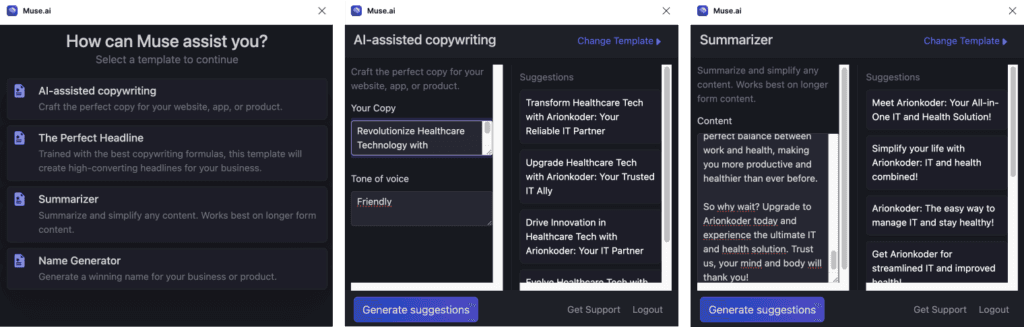
✅ What I Liked:
Offers various options like AI-assisted copywriting, The perfect headline, summarizer, and name generator.
Automatically adds existing copy for remixing if selected.
Allows selection of tone of voice.
🙅 What I Didn't Like:
After generating suggestions, it doesn't automatically add the selected result; you have to copy-paste it.
Limited options for providing context to the AI; you can only specify certain tone of voice.
🔬Can I try it for free?:
Yes, it’s free
💡 In Summary
It can be useful for drafting copy, especially as a placeholder, but it lacks standout features that would make me consider switching from ChatGPT to this plugin.
Scribe AI | Figma
⚖️ Our verdict: ❌IT DOESN’T WORK!
We selected the plugin but it never loaded.
FigGPT | Figma
Write copy with ChatGPT in Figma or FigJam!
When we tried to test it, we found that to activate the 3-day free trial, it required entering credit card information, so we abandoned the trial process.
MagiCopy – AI Text Generator | Figma
Generate marketing copy for landing pages or landing pages in 14 languages
⚖️ Our verdict: 😐MEH!
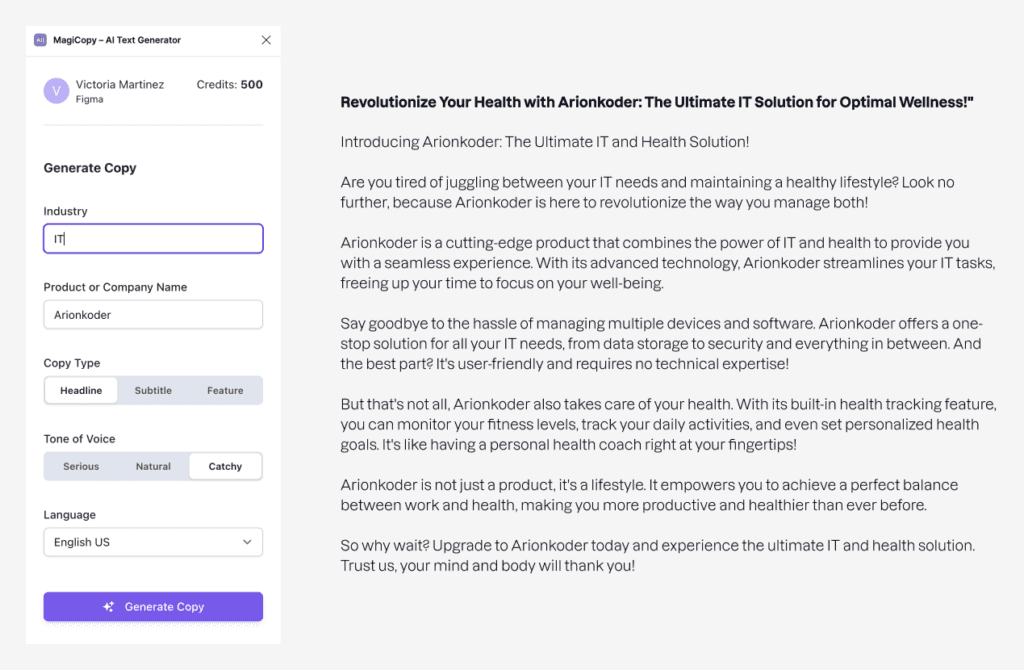
✅ What I Liked:
Provides more customization options than others (Company, industry, tone, language, and whether it's a headline, subtitle, or feature).
Automatically replaces content in the selected layer.
🙅 What I Didn't Like:
You can't remix it.
Only generates one option.
The subtitle function doesn't work (generates the same as headline).
Limited options: Only Title and feature.
You can't request anything through a prompt.
🔬Can I try it for free?:
Yes, they offer 500 credits for free
💡 In Summary:
It can be useful for writing copy, especially as a placeholder, but it lacks standout features that would make me consider switching from ChatGPT to this plugin.
Other tools
LayerAI | Figma
Rename the layers of the selected frame
⚖️ Our verdict: ❌IT DIDN’T WORK!
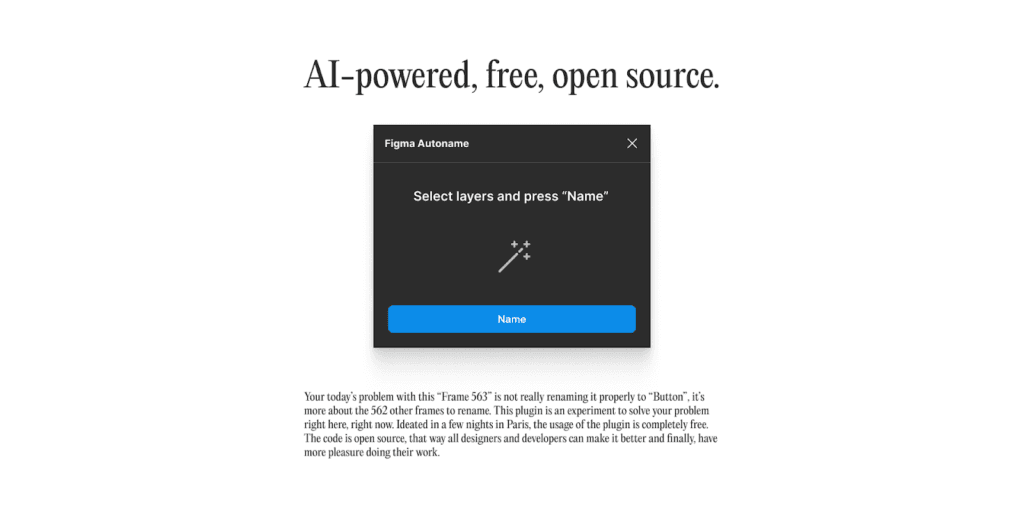
Figma Autoname
Rename the layers of the selected element
⚖️ Our verdict: ❌DON’T EVEN TRY IT!
✅ What I Liked:
It’s free.
You can upload a model for it to learn (Didn't test this).
🙅 What I Didn't Like:
Layer names don't match the elements they represent very well.
🔬Can I try it for free?:
Yes, it’s free
💡 In Summary:
The results were not as expected. Coupled with Figma's upcoming feature to rename layers natively, using these plugins no longer seems necessary.
Automator for Figma
Build custom drag-and-drop automations that do time-sensitive Figma tasks for you in one click.
⚖️ Our verdict: ❌DON’T EVEN TRY IT!


Get Started
Ready to make AI useful?
Resources
